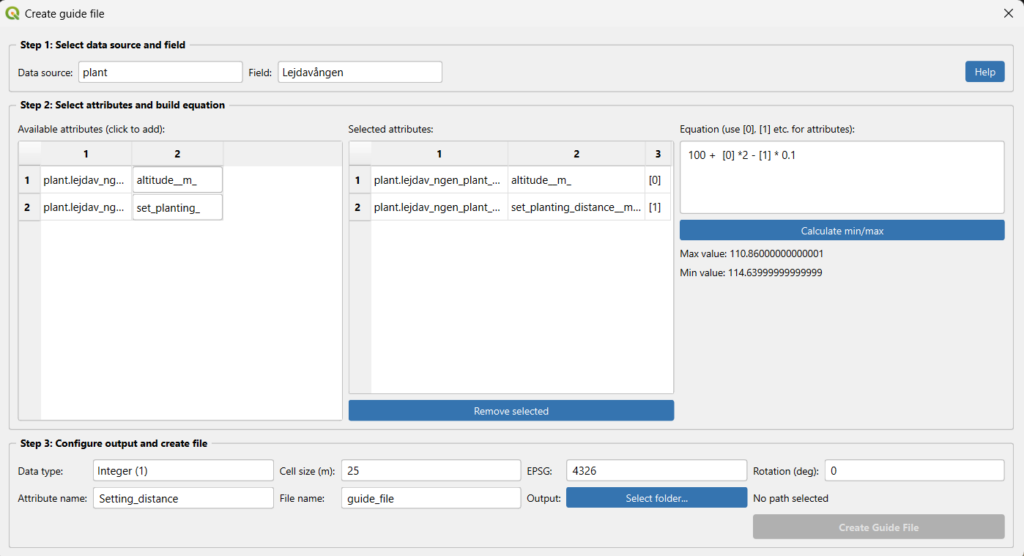
A guide file (also known as a prescription map or variable-rate application map) lets you turn your collected field data into a shapefile that your machinery can use for site-specific management. GeoDataFarm builds a grid over your field and calculates a value for each cell based on an equation you define.
Prerequisites
Before you start, make sure you have:
Created a farm and connected to it.
Added at least one field.
Imported at least one data set (e.g. plant, harvest, soil, fertiliser) for that field.
Open the Create Guide File dialog
In the GeoDataFarm dock widget, scroll down to the Guide file section under the Plan ahead tab. You will see the label “Based on data sets, do you want to create a guide file?” and a button Create guide file. Click it.
Step 1 — Select data source and field
At the top of the dialog you will find two drop-downs:
Setting
Description
Data source
The category of data to use: plant, ferti, spray, harvest, soil, or other.
Field
The field you want to create a guide file for.
Select a Data source (e.g. harvest).
Select a Field from the drop-down.
The available-attributes table (Step 2) will update automatically to show only tables and columns that match your selection.