How to visualize a layer
The Visualization section controls how a data layer is coloured on the QGIS canvas, so variation across the field is easy to read.

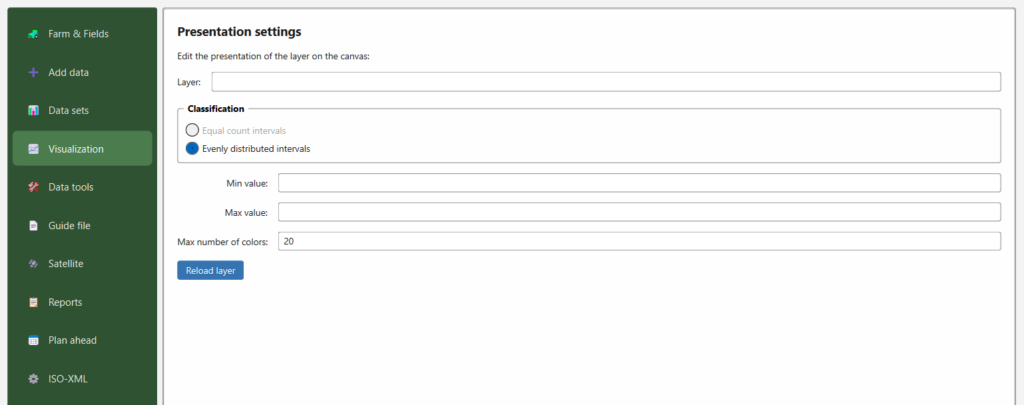
Steps
- Layer — choose the layer to style (the data sets you added to the canvas under Data sets).
- Classification — choose how values are grouped into colour classes:
- Equal count intervals — each colour class holds roughly the same number of points (quantile style). Good for skewed data.
- Evenly distributed intervals — classes of equal value width between the min and max.
- Min value / Max value — the range to stretch the colours over. Leave blank to use the layer’s own minimum and maximum, or set them to compare several fields/years on the same scale.
- Max number of colors — how many colour steps to use (default 20).
- Reload layer — applies the settings and redraws the layer on the canvas.
Tips
- Setting a fixed Min/Max across layers makes different fields or years directly comparable.
- Fewer colours give a clearer, more “zone‑like” map; more colours show finer gradients.