
How to generate reports
The 📋 Reports section produces summaries of the data you’ve imported — a quick way to see every operation carried out on a field, crop or by operation type.
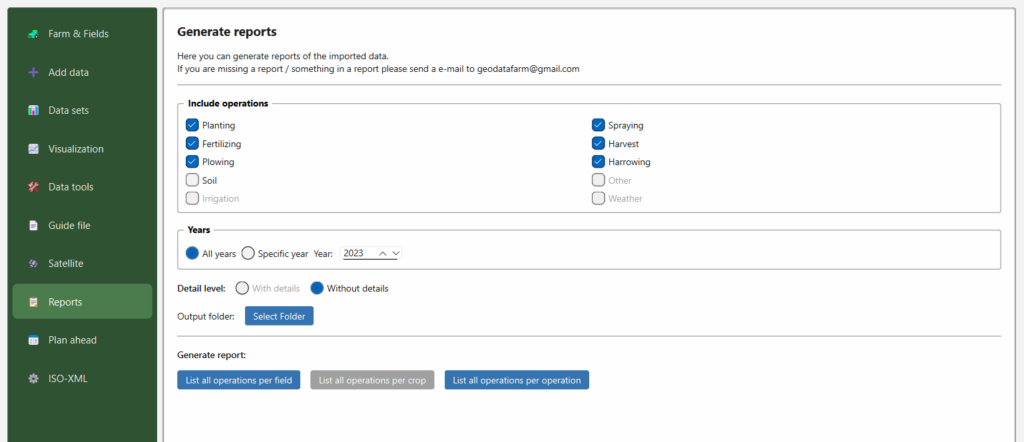
Steps
- Include operations — tick the operation types to include: Planting, Fertilizing, Spraying, Harvest, Plowing, Harrowing, Soil, Irrigation, Weather, Other. Operation types you have no data for are greyed out.
- Years — choose All years, or Specific year and pick the year.
- Detail level:
- Without details — a compact summary.
- With details — includes the individual records behind each operation.
- Output folder — click Select Folder to choose where the report is written.
- Generate report — pick how the report should be grouped:
- List all operations per field
- List all operations per crop
- List all operations per operation
The report file is written to the chosen folder.
Notes
- You must have created fields (and imported some data) before a report can be produced.
- If a report you need is missing — or something in a report looks wrong — email geodatafarm@gmail.com.